
The train enters a tunnel and a document stops opening. You were editing it a moment ago. The words are yours, the computer is in your lap, and the file is small. Yet continuing the work now depends on a distant system answering a request.
This is a design choice, not an inevitable property of modern computing. Sometimes it is a reasonable choice. Live collaboration, central administration, and easy access from unfamiliar devices are useful capabilities. But it is worth noticing when those capabilities turn a network connection into permission to use our own work.
Start where the work happens
Basics · What “local” and “cloud” mean here
“Local” means the work is stored or processed on a device you can use directly, such as your laptop. “Cloud” means a service running on someone else’s computers, reached over a network. One application can use both: it might save your notes on your laptop and send a copy to a remote service for sharing.
The useful distinction is what you can still do when that remote connection is unavailable, not which label appears on the application.
A useful local-first arrangement lets the essential activity happen on the device in front of you. The network can synchronise changes, publish results, or connect collaborators. When the connection disappears, the basic activity remains possible.
That description is an intention, not a guarantee attached to a product label. An application may cache some documents but not others. It may support offline editing only after an initial login. It may keep files locally in a format that no other tool can read.
Ask concrete questions. Can you open yesterday’s work without a connection? Can you create something new? Can you retrieve the original files without the application? What happens when two disconnected devices edit the same thing?
The answers matter more than where the provider says the data lives.
For text I actually care about, the working copy is a directory of Markdown (or source) on disk, edited with whatever editor is already installed, tracked in git, and synchronised with Syncthing or git push to a remote I can clone after the SaaS account dies. The cloud is allowed to hold a copy. It is not allowed to be the only copy.
git -C ~/src/notes status
test -f ~/src/notes/index.md && $EDITOR ~/src/notes/index.md
If that sequence needs a browser login, the arrangement is not local-first, however pretty the marketing.
Local is not automatically durable
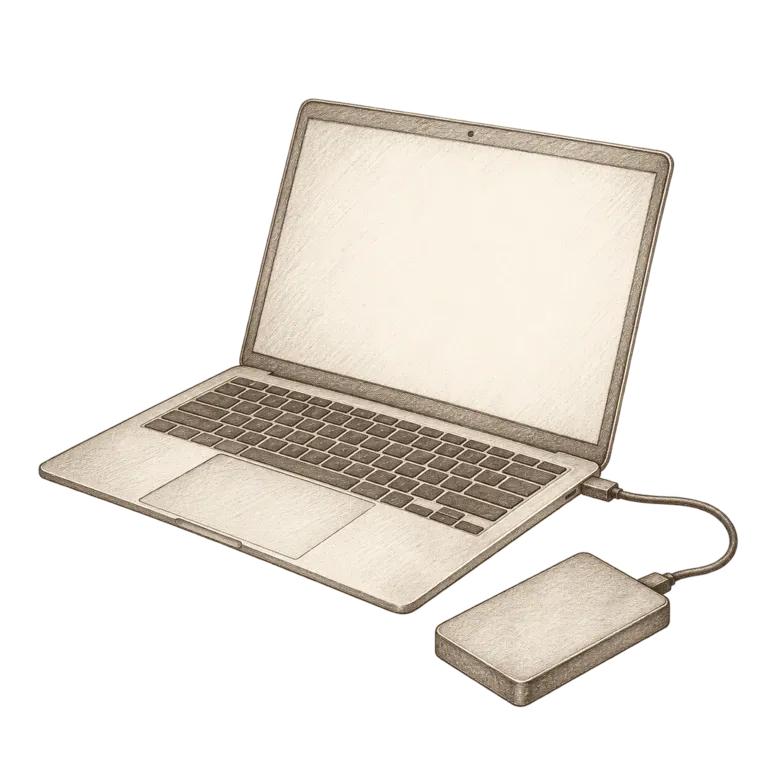
A laptop is a local system. It can also be dropped, stolen, or lost to an ordinary hardware failure. Moving everything off a hosted service without adding a recovery strategy can reduce resilience while increasing the feeling of control.
Synchronisation is helpful, but it is not the same capability as backup. A synchronised deletion may travel efficiently to every connected device. Recovery requires a retained version or independent copy that survives the mistake you are trying to recover from.
Confidentiality needs the same careful reasoning. A remote service has one set of exposure paths; an unlocked local device has another. The question is which arrangement you can operate well, given the material and the people who need access to it.
Local-first is most useful as a starting preference that you test against actual needs. It should make work easier to retain and recover, rather than merely relocate responsibility.
Syncthing will happily replicate a rm -rf. restic or Borg on a different machine, with a password that does not live only on the laptop, is the layer that survives that afternoon.
Let the cloud earn its place
A remote service can be an excellent off-site destination, a convenient way to share large files, or the simplest way for a group to work together. These are real benefits. There is no need to pretend they disappear because we care about autonomy.
Instead, separate the functions. Which service helps distribute the work? Which copy would you restore? Which format preserves the meaning? Which identity is necessary to access it? A single application may perform all these jobs, but thinking of them separately exposes choices.
For a personal notebook, ordinary Markdown files on a device, an independently retained backup, and optional synchronisation can be a comprehensible arrangement. A collaborative design project may need a specialist service, with periodic exports that preserve as much usable work as possible. Different activities deserve different designs.
rclone to an S3-compatible bucket is a fine off-site if you hold the keys and have restored from it. iCloud Drive is a fine convenience if you also have a directory that opens in a tunnel.
Make the boundary visible
A small text inventory can make an arrangement easier to explain. Record the working copy, the file format, the separate recovery copy, and the date someone last tested a restore. The optional example below expresses the same record in a machine-readable format.
Intermediate · An inventory in YAML
This is an illustrative record, not a backup command:
collection: household-notes
working_copy: laptop/Documents/household
format: markdown-and-pdf
sync: syncthing
recovery_copy: restic:sftp:backup-host:/restic/laptop
last_restore_test: 2026-09-15
tested_by: second-household-member
The valuable line is the restore test. A location tells you where something should be. A rehearsal tells you whether you can use what is there. The second person matters too: a system that survives a network outage but depends on its designer’s memory still has a narrow point of failure.
Keep the inventory free of passwords and recovery codes. Its job is to describe the arrangement; secret material needs an access plan appropriate to the people who must use it.
Expert · Sync is not a CRDT, and git is not a database
If two laptops edit the same file while disconnected, Syncthing will produce a conflict copy. git will refuse to merge without you. Neither is Automerge. Treating “local-first” as “automatic multi-master” is how you lose a paragraph.
For structured data, prefer an embedded SQLite file you can sqlite3 file.db '.backup /tmp/file.db' over a proprietary object graph. For secrets, prefer age or OpenPGP over a notes app with “encryption” that still phones home for the key. For large binaries, git-lfs or git-annex are tools with their own hinges; know which.
The expert test: clone the working tree onto a blank Debian live USB, with no browser profile, and finish one real task. If you needed the original machine’s keychain, you were never local-first.
A twenty-minute experiment
Choose a noncritical piece of work. Make sure it is saved, then disconnect the device from the network. Open the file afresh. Edit it. Find a reference. Save a new copy. Note which steps continue normally and which stop.
Reconnect and inspect the result. Did changes arrive where you expected? Did you create a conflict? Could you explain what happened to someone else? If the application offers an export, open that export in a different tool too.
This small experiment converts an architectural preference into knowledge of your own workflow. You may discover that the current arrangement is excellent. You may find that a single missing local reference causes most of the friction.
The aim is not to banish the network. It is to let the network enlarge what you can do while keeping a useful part of your working life within reach.